TSplus Remote Support goes beyond basic screen sharing. Your team gets attended and unattended access, session recording, file transfer, UAC handling, team permissions and a fully branded client. All the features that matter — for just $1/month for 12 months.
Why IT teams switch
AnyDesk works well as a remote access tool. But for IT support teams that need more than a connection, the gaps can start to show.
For teams that need session logs for compliance, audit or training, recording is not available across all AnyDesk plans.
Organising technicians into teams, restricting device access per user and managing folders centrally is restricted or unavailable on entry-level plans.
MSPs and software vendors that want the support client to carry their own brand find AnyDesk offers limited options in that area.
Organisations with strict data residency or security requirements cannot choose where AnyDesk's relay infrastructure runs.
TSplus Remote Support covers the full support workflow out of the box
Side by side
A direct comparison of the features IT support teams rely on most.
| Capability | TSplus Remote Support | AnyDesk | TeamViewer |
|---|---|---|---|
| Attended remote control | |||
| Unattended remote access | |||
| Session recording (all plans) | |||
| File transfer | |||
| UAC / elevation capture | |||
| Multi-monitor support | |||
| Team and permission management | |||
| Custom branding / white-label client | |||
| Helpdesk integration (Freshdesk) | |||
| Self-hosted deployment option | |||
| Concurrent-connection pricing | |||
| Fully featured free trial | |||
| $1/month switch offer |
✓ Included · ~ May depend on plan or edition · ✗ Not available. Indicative comparison based on public product information.
Core capabilities
Every feature your technicians need for real support work, with no plan-gating on the tools that matter.
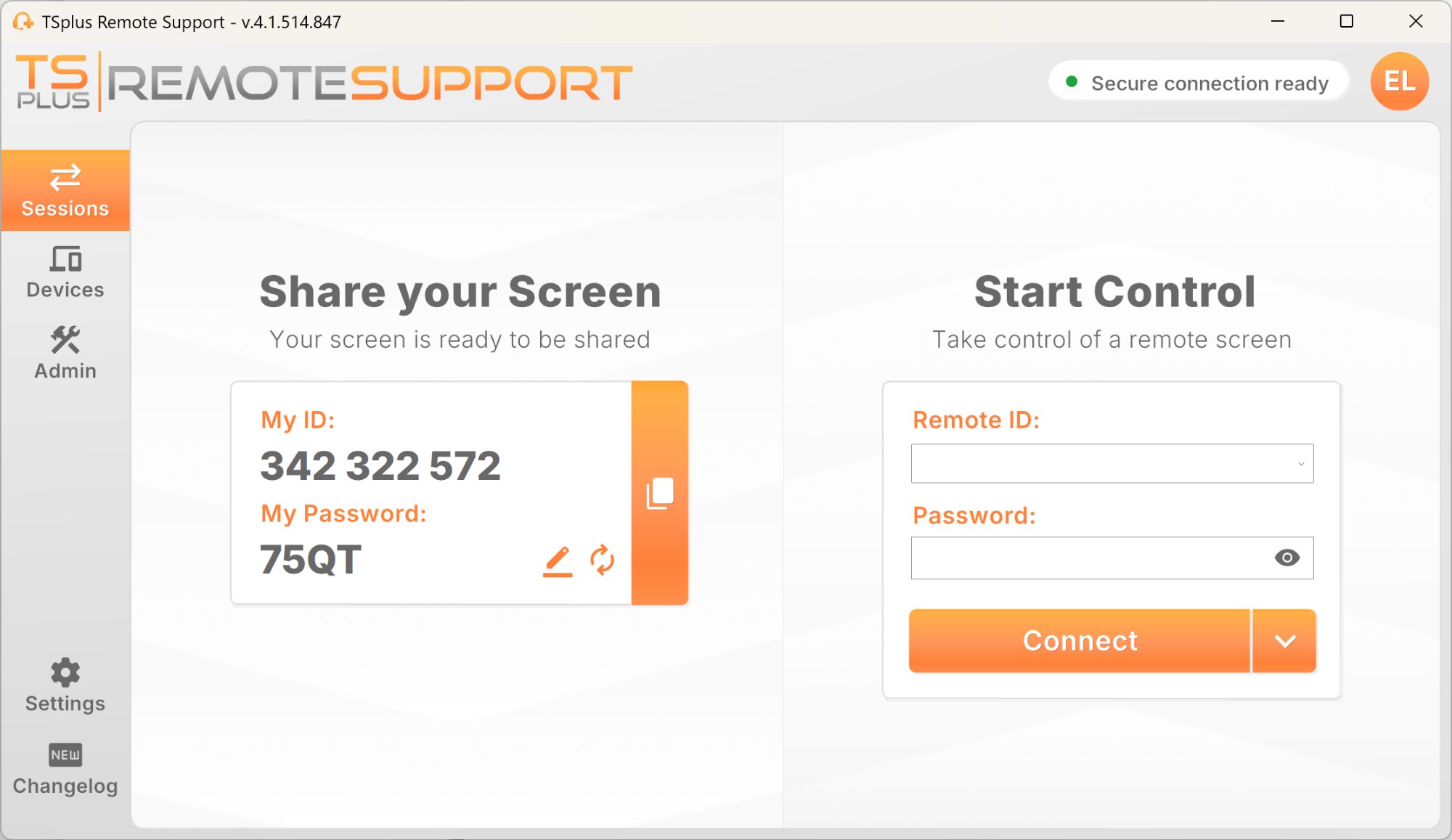
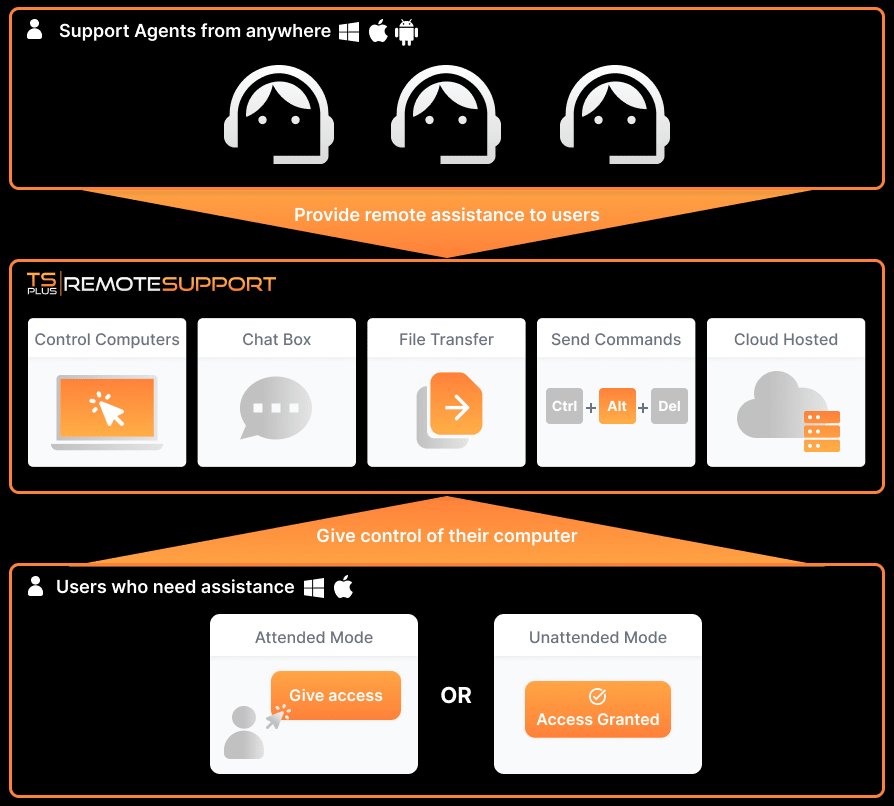
Connect to a remote device in seconds. The user shares an ID and temporary password, your agent connects and takes control with no installation required on the user side.
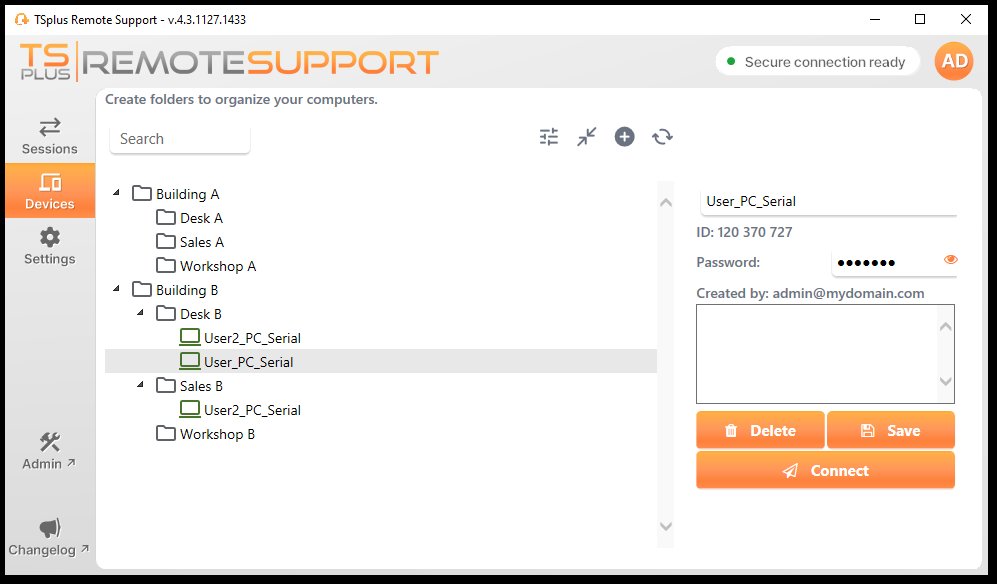
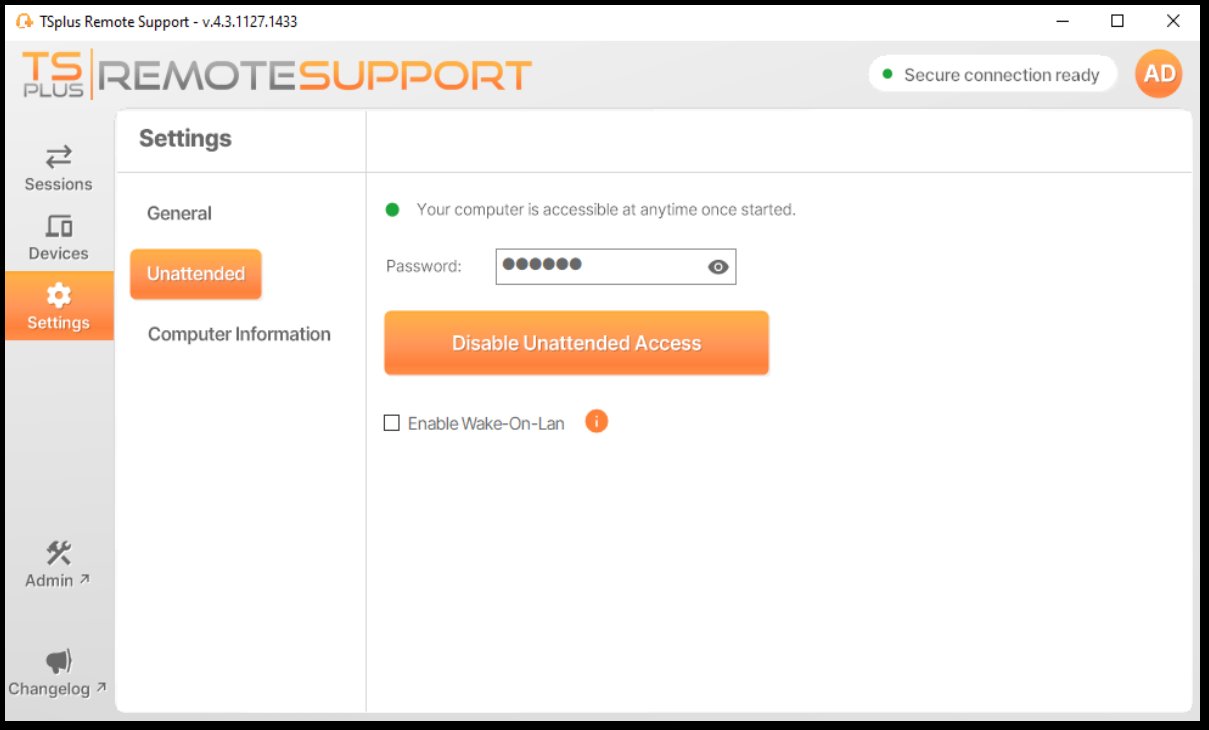
Agents can save managed devices and reconnect at any time, even when no user is present. Each unattended computer is protected with a dedicated access password set by the device owner.
Record live sessions automatically for training, compliance review or internal audit. Screenshots can be captured at any point during a live session, with no additional setup required.
Push updates, pull diagnostic logs or share configuration files directly during a live session. File transfer works in both directions without interrupting the remote control session.
Handle Windows User Account Control prompts without interrupting the session. Switch between multiple monitors on the remote device to track down issues across different screens.
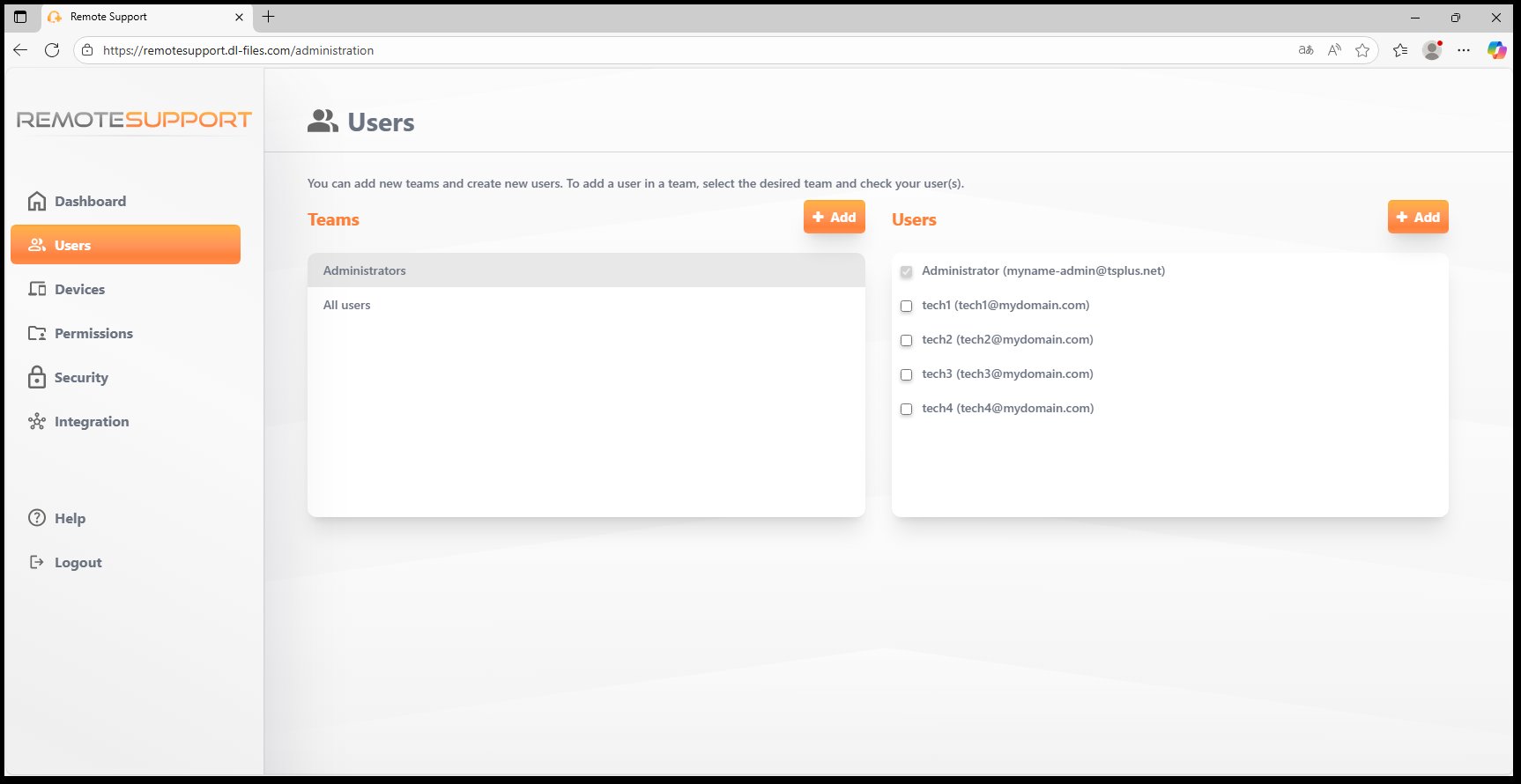
Create technician teams, assign devices to folders and control which agents can access which computers. Centralised administration from the web-based Admin Console keeps everything organised as your team grows.
How it works
A predictable, repeatable workflow that your team can run confidently every day.
The end-user opens the lightweight support client, gets a unique session ID and a temporary password, then shares both with the technician.
The technician enters the ID and password and connects. Remote Control and Command Line modes are available from the moment the session starts.
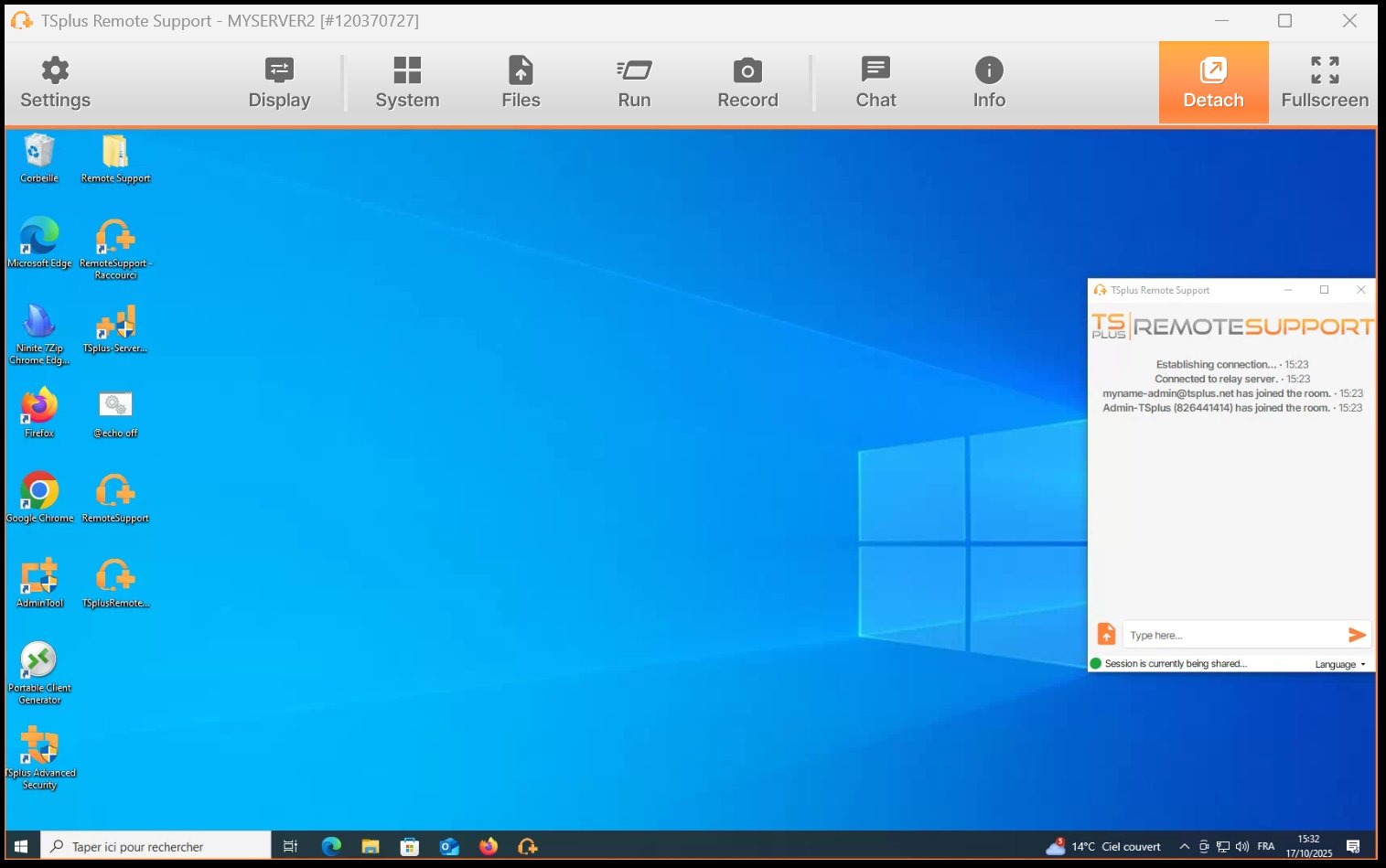
Chat with the user, transfer files, record the session, run system commands, inspect device information and manage UAC prompts without leaving the session window.
Save the device for future unattended access, review the session recording if needed, and push session context directly to a Freshdesk ticket via the built-in integration.
Full session toolbar: Display, System, Files, Run, Record, Chat, Info
Device folders with quick unattended access and connect button
Security by design
Every TSplus Remote Support deployment ships with the controls your IT team needs. No extra modules, no higher tiers required.
Unattended access protected by a dedicated password, with optional Wake-On-LAN
All remote sessions are protected with modern TLS encryption. Connection data is not stored or accessible to third parties.
2FA is available for subscription users, adding a second verification layer for both agents and administrators.
Assign device access rights by team and folder. Restrict which technicians can connect to which computers at the subscription level.
For organisations that require full infrastructure control, TSplus Remote Support can be deployed on your own servers with a self-hosted relay and API.
Unattended devices use a separate password from attended sessions, giving device owners precise control over background access.
Switch offer
For a limited time, get the full TSplus Remote Support product for $1/month for 12 months. Then continue at standard pricing.
Your $1/month switch offer includes 1 concurrent connection with every feature unlocked. After 12 months, continue with standard concurrent-connection pricing, starting at $6/connection/month billed annually. Scale up whenever you need.
Who it's for
Designed for teams that need a complete support platform, not just a remote access tool.
Support employees on-site or remote, organise devices by department, define access per technician and connect to any managed machine in seconds.
Separate client environments into folders, manage concurrent connections across your team and scale your plan as your client base grows.
Embed branded remote support directly into your own product. Customers interact with your logo, your name and your domain throughout the support session.
Connect support sessions to Freshdesk tickets and push chat logs, session notes and device information back into your helpdesk workflow automatically.
White-label and branding
Unlike AnyDesk, TSplus Remote Support gives you full control over how the support client looks and where it lives. Your users see your name, not a third-party product.
Admin Console with user management, teams, devices, permissions, security and integrations
What Our Customers Say
TSplus is an established remote access and remote support vendor with over 20 years of experience in the field.
"TSplus is incredibly effective, easy to deploy, and fits our budget perfectly. It was really a no-brainer, especially when the majority of our staff began working from home."
"The software has been rock solid for two years. Technical support is superb, making TSplus the total solution at an extremely affordable price. The ROI has been outstanding."
"We've been using TSplus for 6 years and we are extremely satisfied. Apart from being a great product, we love the after-sales service and support."
Common questions